
Unifying Design Across 15+ Products at Kroger
When I joined Kroger's supply chain division, 15+ internal applications were being built by independent teams with no shared design language between them. The corporate design system only covered customer-facing experiences, so internal tools were on their own. Nobody was going to mandate consistency for me, so I did it the slow way: proving value to one team at a time until the system earned its own adoption.
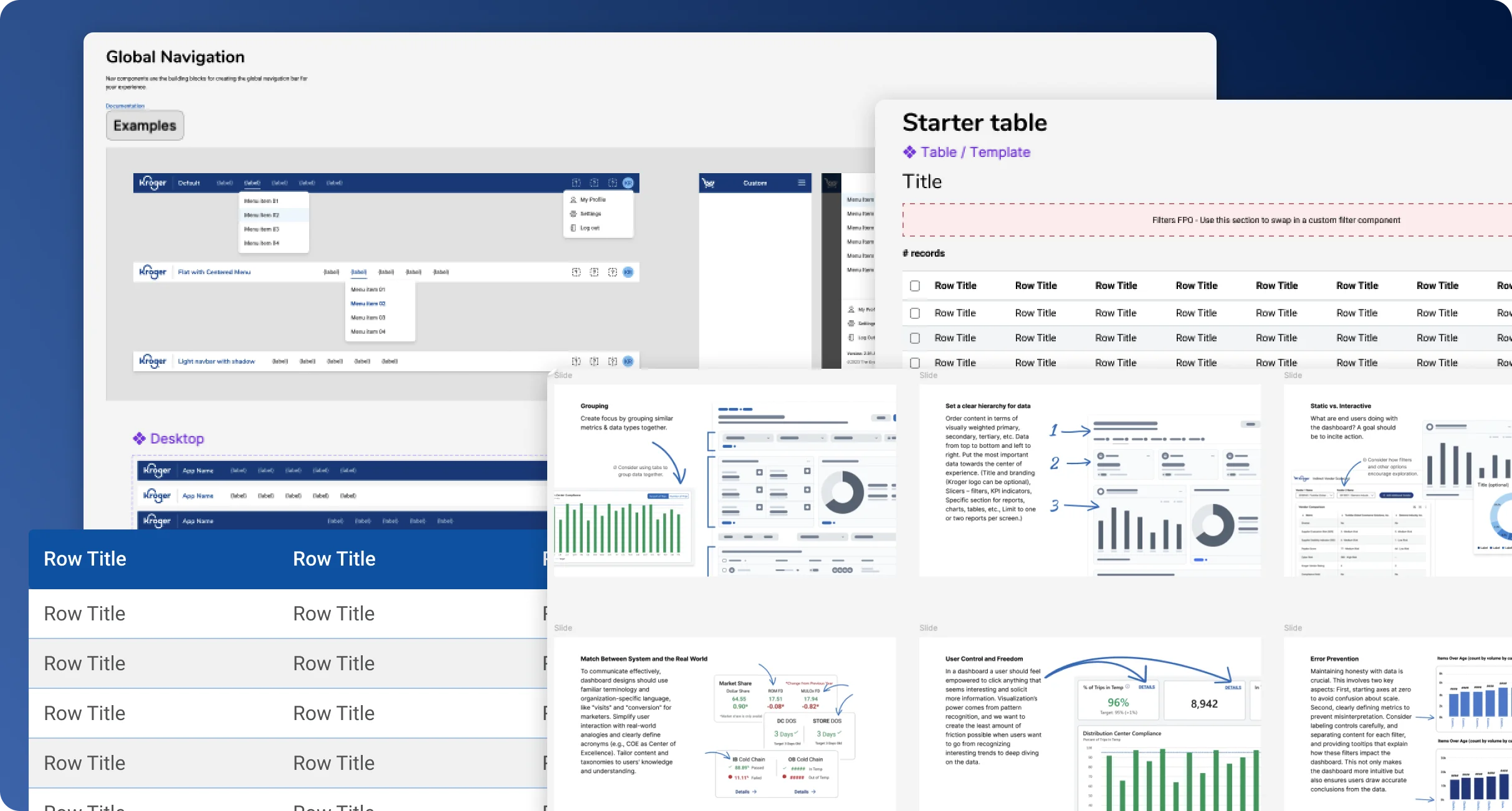
The Shared System
Earning developer trust without organizational authority
Kroger's corporate design system focused exclusively on customer-facing experiences. Internal supply chain applications, with their complex data tables, specialized navigation, and workflow-specific components, had no shared foundation. Every team was solving the same problems independently.
Without organizational authority to mandate adoption, I had to earn it. I started by identifying the teams with the most acute pain and working directly with their developers to build components that solved real problems they were already struggling with.
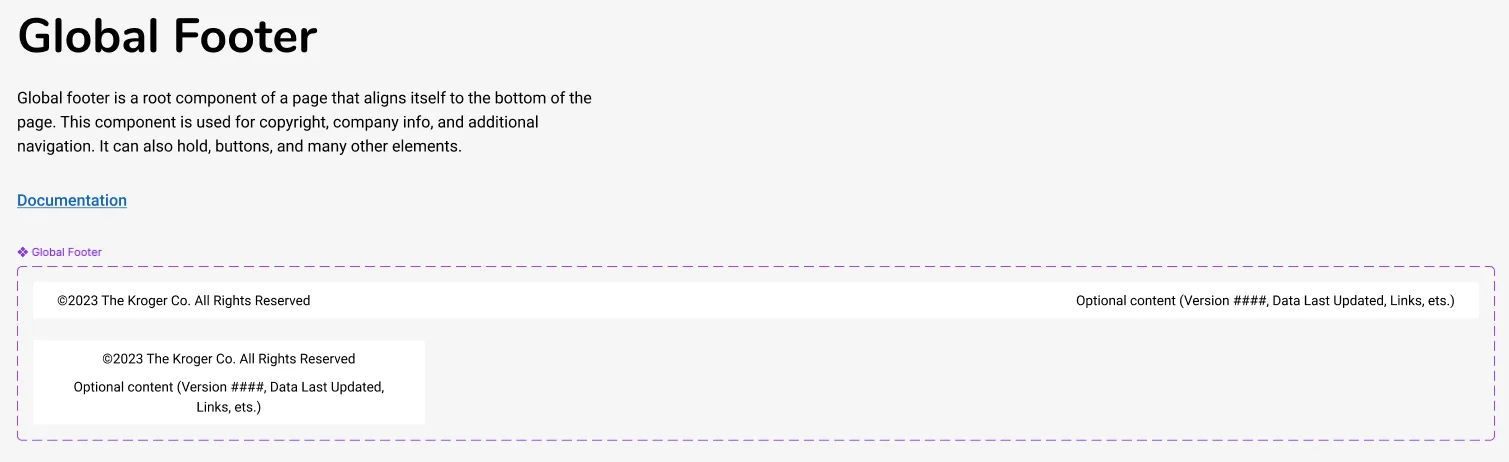
Global Navigation & Footer
Standardized navigation patterns optimized for internal tools, with consistent header structures and contextual footers across applications.
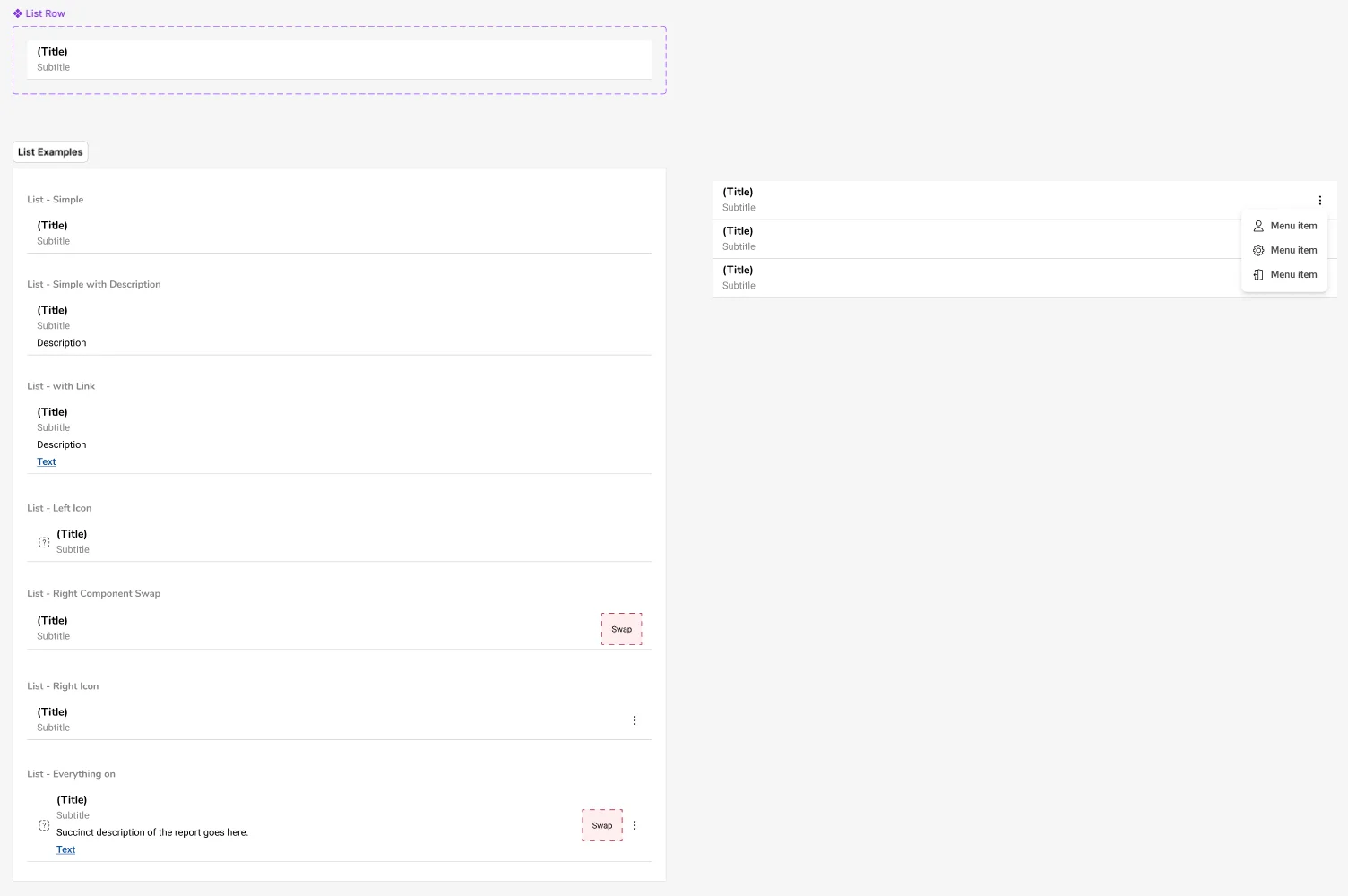
Data Tables & Lists
Complex table components with sorting, filtering, and bulk actions tailored to supply chain workflows, handling inventory data, order tracking, and warehouse operations.
Interactive Components
Form inputs, modals, alerts, and other UI elements specifically designed for web-based internal applications with high data density.
Why these three first
Navigation and data tables weren't the flashiest problems, but they were the ones every single team was solving from scratch on their own time. Every internal tool needed sortable, filterable tables; every team was rebuilding that same logic independently. Starting there meant the first thing I handed anyone was something they'd otherwise have spent a sprint building themselves, which is a much easier sell than a navigation pattern nobody asked for.
With limited organizational support, we took a grassroots approach to implementation. I worked directly with development teams to set up an internal Storybook instance hosting functional React components, document usage and best practices, make components consumable via npm, and collect feedback from early adopters to iterate on the APIs.
Grassroots is slower than a mandate. You don't get to just tell people to use something, you have to earn every team, one at a time. But teams that adopt because it actually solved their problem tend to stick around and defend it later, instead of quietly reverting the first chance they get. Roughly how it went: start with the pain points, find the gaps between the corporate system and what supply chain teams actually needed. Build alongside developers, not just for them, designing in Figma then sitting with devs while they built it in Storybook. Let early adopters sell it, since the first couple teams became my best advocates and pulled others in without me having to ask. And keep the feedback loop open, taking input from designers and developers across teams to iterate on patterns.
The Dashboard Guide
A guide that scaled design thinking beyond the design team
Many supply chain teams relied on dashboards to communicate with stakeholders, but most had no dedicated designer. They were building dashboards in PowerBI with no guidance on hierarchy, chart selection, or information architecture, and the results showed it.
There was no way I could personally design every dashboard at that scale, so instead of trying, I put the effort into something that would help even when I wasn't in the room: a best practices guide, built with a couple other designers.
Dashboard Fundamentals
Core principles for effective dashboard design: clarity, hierarchy, relevance, and actionability. What makes a dashboard useful vs. just informative.
Layout & Information Architecture
How to structure information, create visual hierarchy, and guide users to key insights. Grid systems, spacing, and grouping patterns.
PowerBI-Specific Guidelines
Since many teams used PowerBI, we included specific callouts: recommended visualizations, interaction patterns, performance considerations, and common pitfalls to avoid.
Making Dashboards Actionable
Showing data is easy. Getting someone to act on it is the actual point, so this covers highlighting anomalies, giving context, and surfacing next steps.
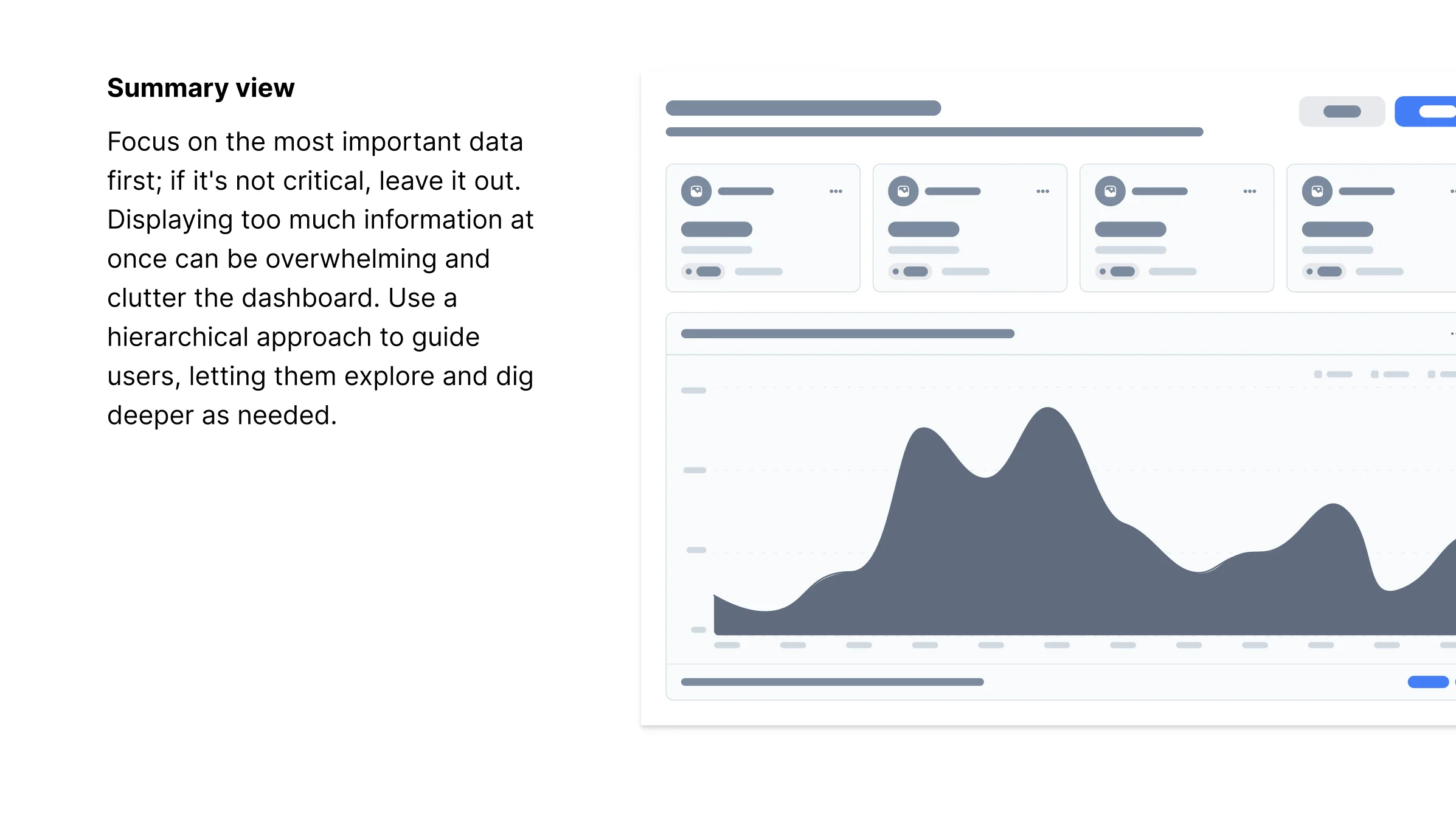
It got used more than I expected. Teams without a designer could point to an actual principle instead of guessing, and it gave everyone, including me, a shared vocabulary for dashboard feedback that wasn't just "this looks off." I didn't fully appreciate how much that would matter until I saw people quoting the guide back in meetings I wasn't even in.
Data Visualization
Creating a shared visual language for data across the organization
The dashboard guide addressed how to structure dashboards, but teams were still using inconsistent chart styles, color schemes, and visualization patterns. When executives pulled up dashboards from different teams side-by-side, the visual dissonance undermined trust in the data itself.
So I built a data visualization library on top of that. It's the chart styling, but also guidance on when to use each chart type, how to handle edge cases, and accessibility for color palettes.
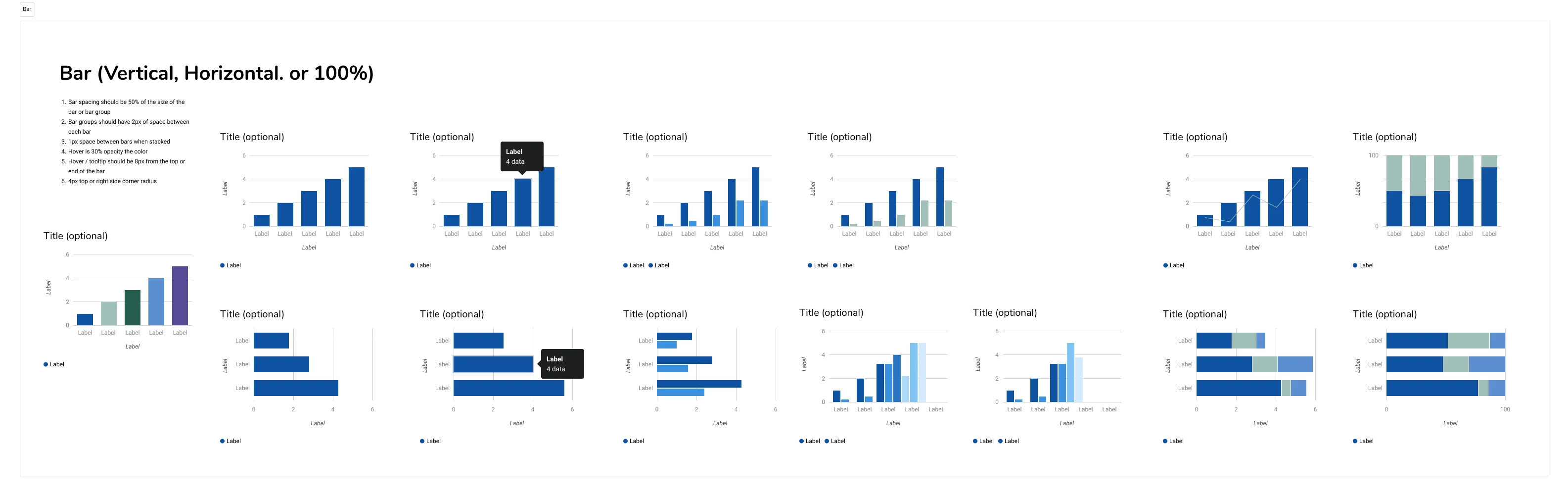
Functional Chart Templates
Built Figma components for common chart types (bar graphs, donut charts, line graphs) with proper proportions, spacing, and annotation patterns.
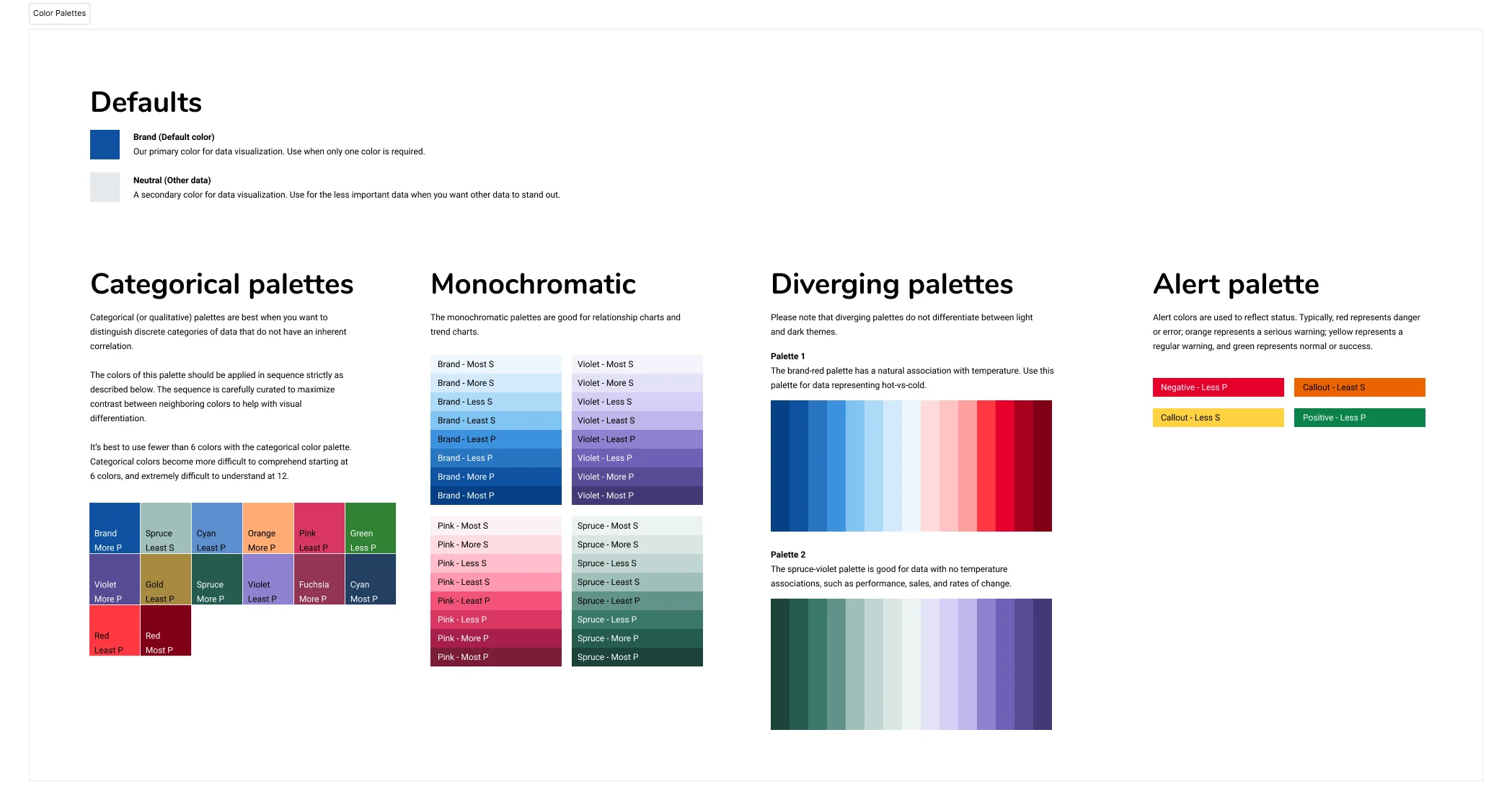
Color Palettes & Tokens
Established standardized color palettes for data visualization that balanced brand alignment with accessibility and clarity. Created Figma tokens for easy implementation.
Usage Guidelines
Documentation on when to use each chart type, how to handle edge cases, and best practices for labeling and legends.
Between the two, teams had what they needed without waiting on me: the guide for how to structure a dashboard, the library for what it should actually look like.
The Product Card Audit
How an audit of 15+ apps revealed a unification opportunity
Every supply chain application displayed product information, but each team had built their own version of a product card in isolation. From the outside, it looked like chaos: 15+ implementations with different layouts, hierarchies, and interaction patterns.
Before proposing any solution, I needed to understand why each team had made different choices. I conducted a comprehensive audit across all applications to separate meaningful variation from accidental divergence.

Nobody was being careless. Every team had solved a real problem on their own, and once I laid it all out, the underlying information needs turned out to be pretty similar across the board. Where they actually differed: visual styling (spacing, typography, image treatments, borders), information hierarchy (same fields, different order), density (some cards showing everything upfront, others minimal), and actions (inconsistent placement and styling of buttons). Which meant there was room for one component that could flex across most of these cases, instead of 15+ separate ones nobody was maintaining on purpose.
I developed a regional structure that could accommodate different information needs while maintaining visual consistency: core regions for the image area, primary info, secondary details, and actions; flexible content so each region could show different fields based on context; and progressive disclosure, using Figma Make to prototype how less critical information could be revealed on interaction rather than shown upfront.
Why regions instead of a fixed template
The audit was the reason I didn't just design one rigid card. Teams had real, different needs, not just inconsistent taste, so a single fixed layout would've meant re-litigating the whole thing with every team that didn't fit it. Regions let each team keep their actual differences while still sharing the same visual system underneath. It's slower to design than a fixed template, but it's the difference between a component teams adopt and one they quietly route around.

I put together a proposal showing how one flexible component could cover what 15+ teams needed without all the duplication. Next step was socializing it and starting to build with developers, then the layoffs hit and that was that. The audit held up on its own, though. As far as I know it's still the only complete picture anyone's had of how product information actually works across that ecosystem.
Looking Back
The biggest surprise was how little arguing actually mattered. I went in assuming I'd need to sell people on why a shared system was worth it, decks and all. That's not what worked. What worked was showing up with something that already solved a team's problem and letting them decide for themselves. The teams that adopted early weren't convinced by a pitch, they just needed less convincing than I assumed everyone would.
The internal-tools side of this took me longer to get right than I'd like to admit. I kept treating the component library like an internal project, which meant I let the API get a little awkward and the docs read like documentation instead of something a developer would actually want to open. Turns out adoption is still voluntary even when your users work down the hall from you, and I had to relearn that a couple of times before it stuck.
The product card work is the one I'd handle differently if I did it again, except I already did handle it differently the second time. My first instinct was to just design a better, unified card and bring it to teams. I sat on that instinct and audited all 15+ implementations first instead, which is what actually made the eventual pitch land: I could point to specific reasons each team had built what they built, instead of assuming their choices were mistakes. Slower start, much stronger case by the end.